Creativa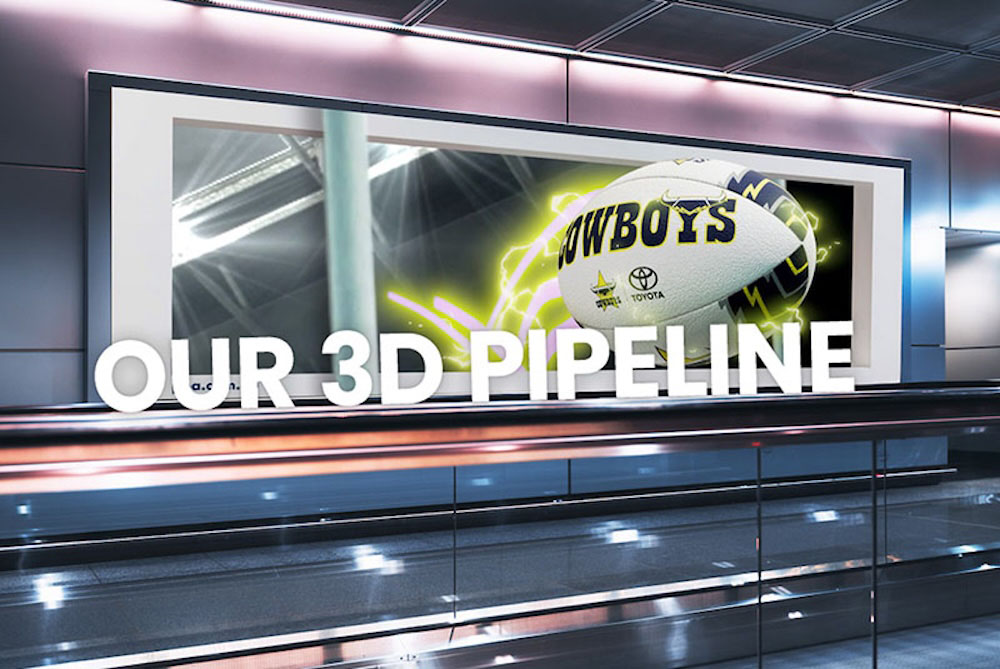
The 3D animation process can be complex and is a multi-step pipeline.
Below is an outline of Creativa’s 3D animation process, from the initial brief through to delivering you the final outcomes. Our pipeline is designed to keep everything running smoothly and on time, with each milestone highlighting a key moment in the creative process. Just like our usual animation workflows, this overview will break down each stage: scripting, storyboards, modelling, animation, and final sign-off. Each stage involves several review points and opportunities for revisions to ensure everything is just right. This post will walk you through each part of our process in detail.
Brief & Kick-Off
We’ll begin with a Brief & Kick-Off Session – a meeting with key team members to ensure Creativa has a strong understanding of your video’s content and creative direction. Once aligned on vision and strategy, we move into pre-production. You will be assigned a producer, director and meet your design/and or animation team leads.
In this video call or in-person meeting, we will discuss:
- The purpose and audience of your video
- Technical specifications
- Creative treatment and the style
- Timeline and schedule.
Pre-Production
We do all the prep work at this stage before the main. This phase includes:
- Moodboards & references: Moodboards and tools like Pinterest boards help us refine direction and style.
- Concept art/style frames: Developing the look and feel. Mocking up how the visuals will look.
- Scripting: Whether it is a voice-over, text on screen or just visuals, we map this out in writing.
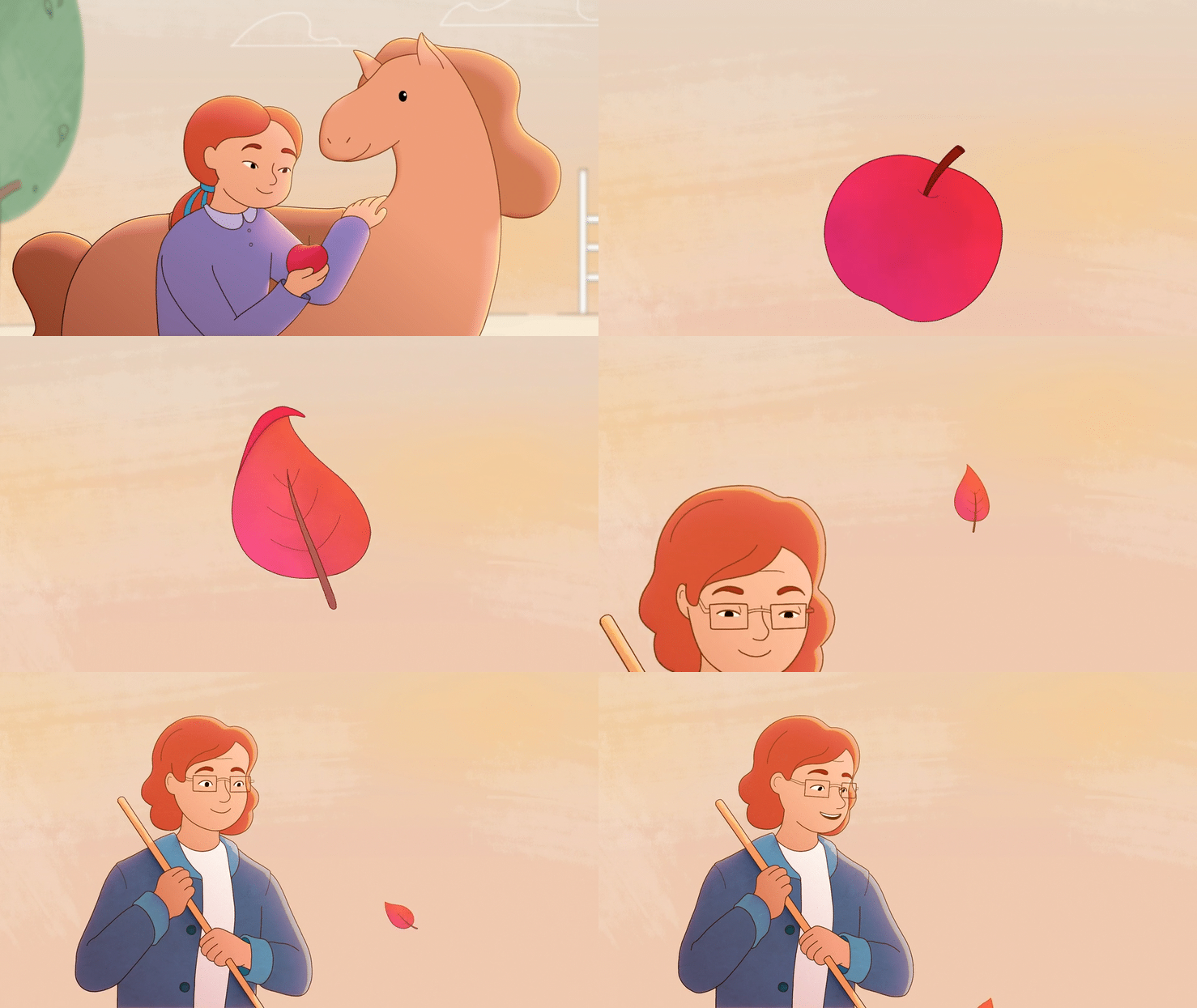
- Storyboarding: Roughly sketching out each frame to develop the flow of the story with the script.
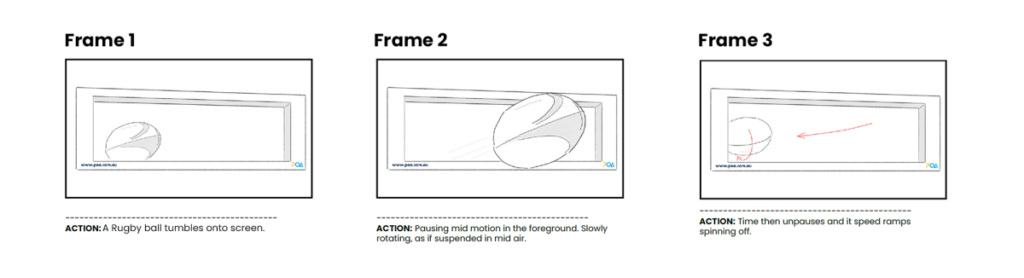
Example of a storyboard, frame-by-frame
Production
This is where everything comes together. Now that we are all aligned, we move into the core production stages. These are modelling, rigging, texturing, previs, animation, lighting and voiceover recording.
Modelling & Rigging
This phase includes:
- 3D Modelling: Once the story is locked, we begin modelling characters, products, environments, and props.
- Rigging: The process of creating the digital skeleton of a character or product.
- Texture & Lighting: Applying texture to materials, colour and light.
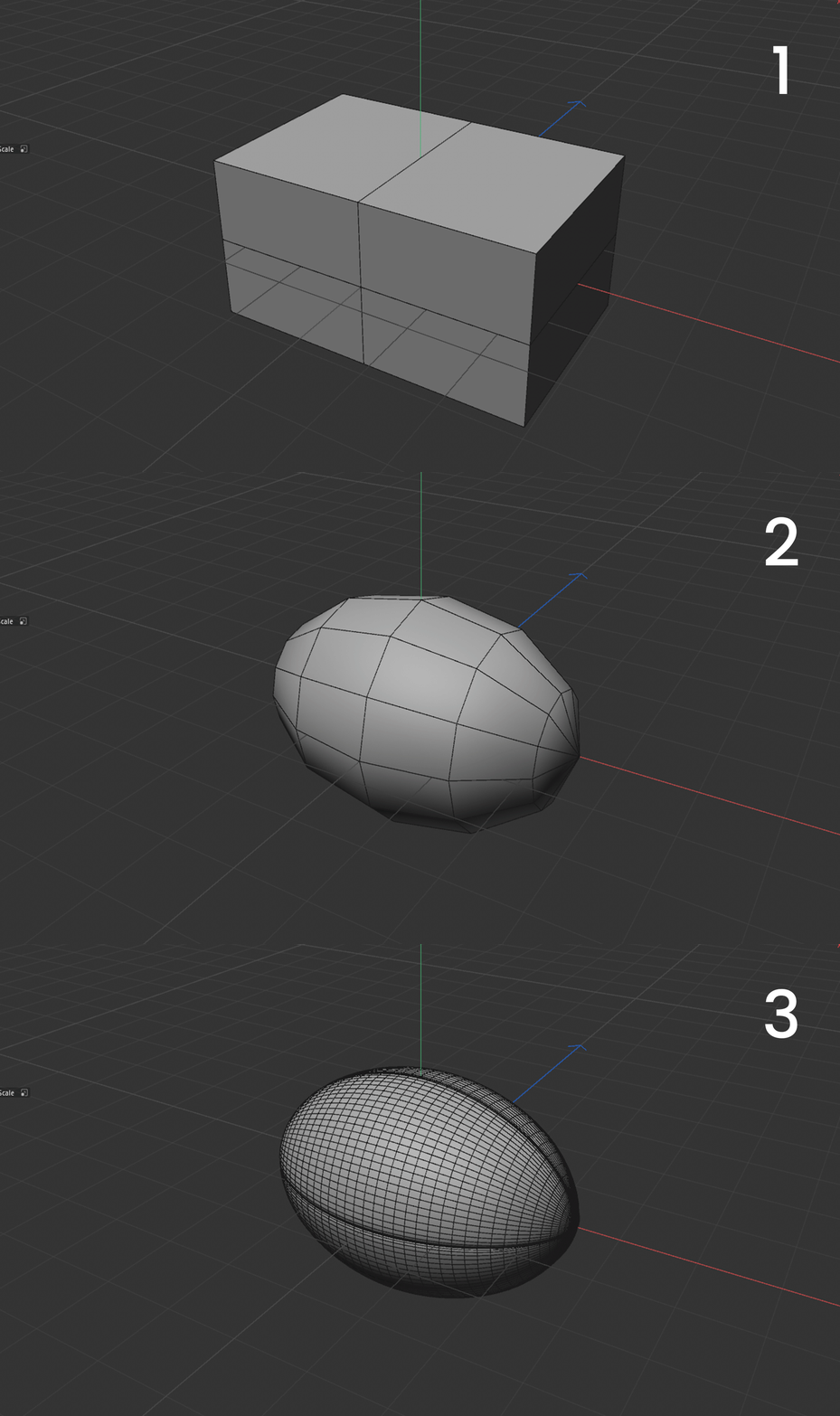
3D modelling stages
Animation
This phase of the 3D Pipeline includes processes such as creating a Pre-Visualisation (‘Pre-vis’)/Viewport Animation, followed by Full Animation.
At this stage, is where we add motion to include:
- Camera angles
- Timing, pacing & duration
- Character and object movement
- Scene composition
- Music choice
Placeholder text or graphics may be used to help visualise any progress in feedback.

Grayscale preview
Simulations
If your animation includes simulations such as water, particles, or smoke, we begin with very low-fidelity tests to map out the basic animation and preview how it will look. Simulations are based on real-world physics, so their appearance and behaviour depend on their interactions with the animated objects we have already created. Because it is highly technical, this process takes time and substantial computational resources to generate. We will run a few tests, but final renders won’t be created until after we’ve locked in the animation.
Voice Over
If your video has a voiceover, we will record it at this stage.
Full Animation
Now that we’ve approved the main movements and timing, we continue to tweak and improve the animation. At this point, you will see the scenes rendered in full colour, and the project starts to visually take shape.
Full animation allows you to review:
- Colour, texture and lighting (we will continue to make edits in post)
- Final animation movement notes
- Music edits & sound design
- Final recorded voiceover
Example of the full animated preview
Rendering
Once all the above is approved, we send the final animation file to render. This requires massive amounts of computing power to render each frame and its high-resolution detail. Depending on the number of computers allocated to the process, this can take many hours.
Post-Production
Finally, we polish the project. This is like putting the icing on the cake, it all comes together here with further lighting, effects, compositing, colour grading.
In Post, you are able to review:
- Final lighting and visual effects such as smoke, glows, reflections, sparkles etc.
- Compositing and colour grading
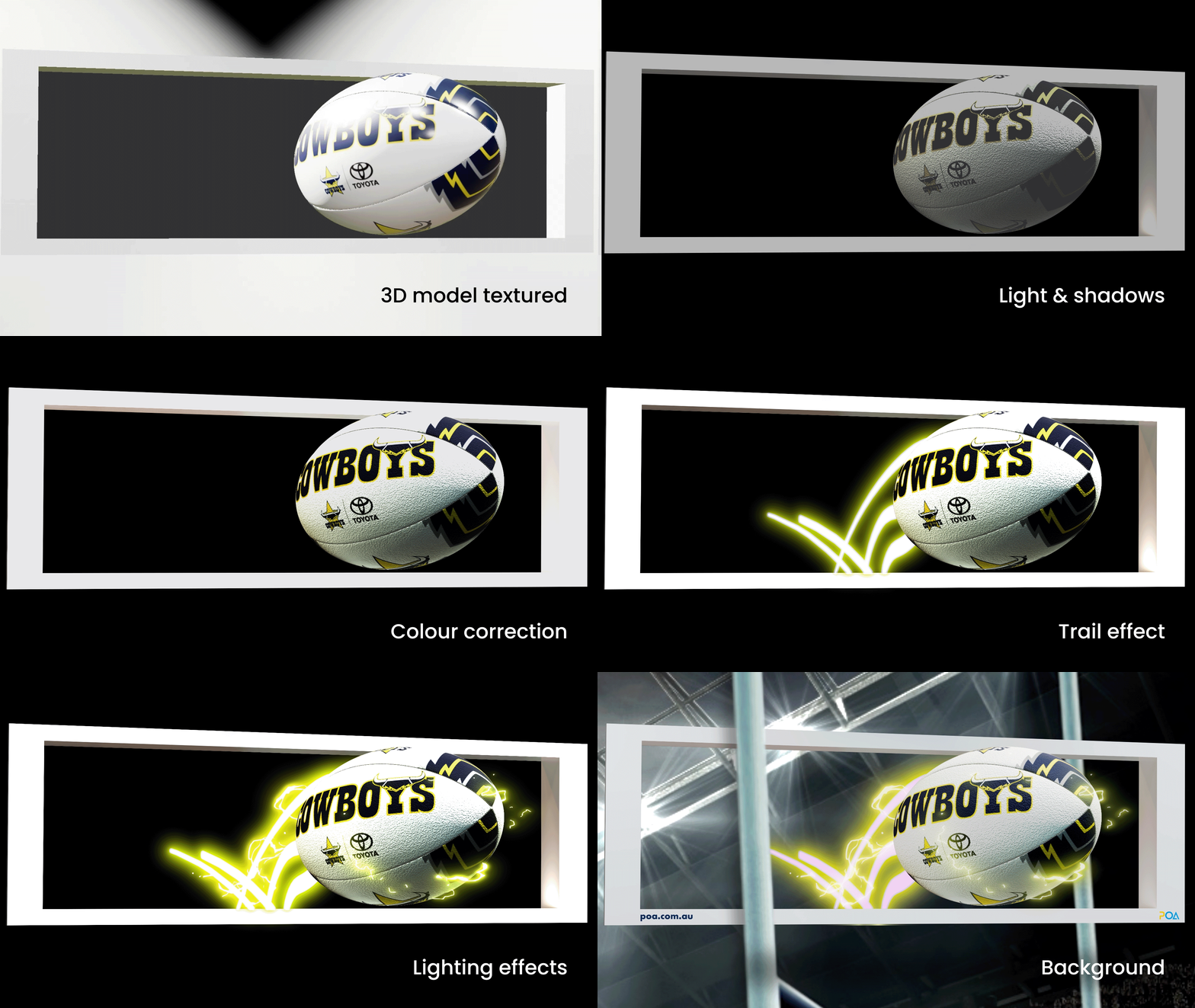
Stages of the post production phase
Final Delivery
We deliver the final delivery package.
Depending on project-to-project, this could include:
- Cutdowns and alternate aspect ratios for campaign outputs
- Our in-house marketing team can also support your rollout, ensuring maximum impact across platforms.
Glossary
The process of creating a 3D shape or structure. Modeling is the process, geometry is the outcome.
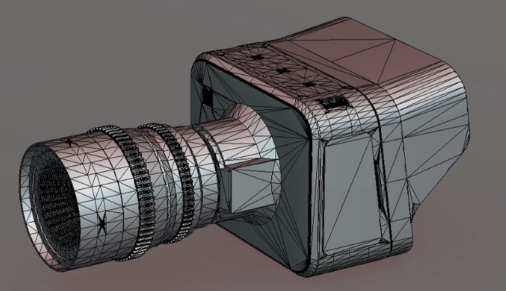
The process of adding colour, patterns, or surface detail to a 3D model.
Defines how a surface looks and reacts to light. They include properties like colour, roughness, metalness, and transparency. You can also use texture maps (images) to add detail such as designs, or patterns. Materials are what make a 3D model appear realistic, turning a plain shape into something that looks like wood, metal, fabric, or glass.
Skeleton of a model so it can be animated. Eg. skeleton for a human character, or mechanical armature for a car’s moving parts.

Generic term for any usable 3D element (model, texture, elements) for a 3D scene.
This involves opening your 3D files and preparing them for animation. Often, models contain high polygon counts, so we simplify and clean them up to ensure they can be efficiently rigged and rendered without compromising performance.This involves opening your 3D files and preparing them for animation. Often, models contain high polygon counts, so we simplify and clean them up to ensure they can be efficiently rigged and rendered without compromising performance.
If bespoke simulations (water, dust, smoke, fabric, etc.) are needed, isolated animation tests may be done, to get approval on its look and animation before being applied to the full animation. This could be done at any time, but must be signed off before moving into Animation Renders (as any animation amends will affect simulations).
- Rendering the full scene in high quality.
- Add visual effects, colour correction and finalise all composites.
This typically includes rendering and compositing.
Animate your next campaign

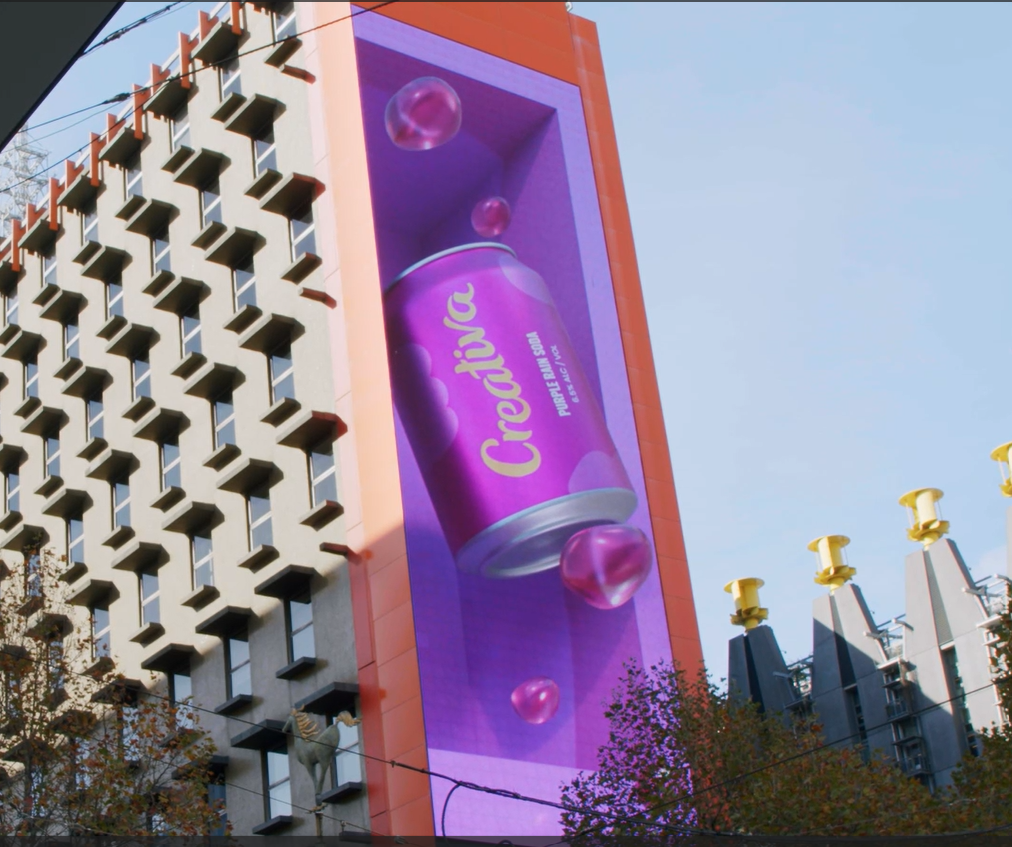
✨ Discover more of our 3D animation work and see how we help brands bring design, craft, and story together on screen.
Ready to start your next campaign?
Contact us today and let’s build something extraordinary.
Email: hello@creativa.com.au
Call: (03) 9999 1333